How to Create Music on Laptop
(Beginner Friendly Step-by-Step Guide)
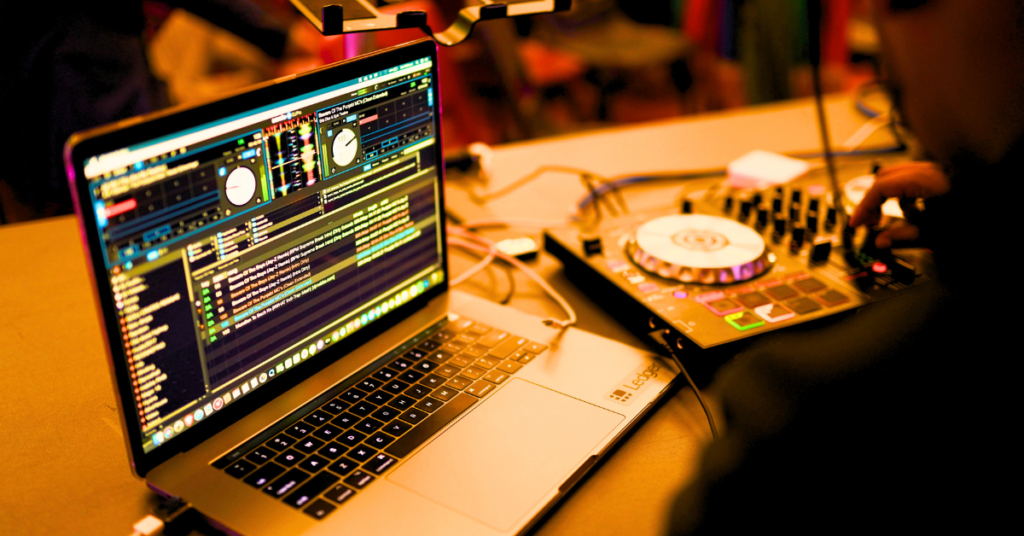
Creating music today is easier than ever. You don’t need an expensive studio anymore — just a laptop, the right software, and a little creativity. If you’re wondering how to create music on laptop, this complete beginner-friendly guide will help you step by step.
1. What Do You Need to Start?
Before you begin, make sure you have these basics:
- A laptop (Windows or Mac)
- Headphones or speakers
- Music software (DAW)
- Basic interest in music 🎶
That’s it! Even with just these, you can easily learn how to create music on laptop from home.
2. Choose the Right Music Software (DAW)
A DAW (Digital Audio Workstation) is the main tool used to create music.
Popular DAWs:
- FL Studio (best for beginners)
- Ableton Live
- Logic Pro (Mac users)
- Cubase
👉 If you’re starting, FL Studio is highly recommended because it’s simple and powerful.
If you want to know how to use the FL Studio music software, check here
This is the first real step in learning how to create music on laptop.
3. Learn Basic Music Theory (Simple & Important)
You don’t need to be an expert, but knowing the basics helps a lot:
- Scales (Major & Minor)
- Chords
- Melody
Even a little understanding will make your music sound much better.
4. Start Making Beats on Your Laptop
Now comes the fun part — creating beats!
- Choose a tempo (like 90–140 BPM)
- Add drum sounds (kick, snare, hi-hats)
- Create a rhythm pattern
👉 This is exactly how beginners learn how to make beats on their laptop step by step.
5. Add Melody & Instruments
Once your beat is ready:
- Add piano melodies
- Use synth sounds
- Try bass lines
You can use free plugins if you don’t want to spend money.
6. Basic Mixing (Make Your Music Sound Pro)
To improve your sound quality:
- Use EQ to balance sounds
- Add reverb for space
- Use compression for control
This step makes a huge difference in your final output.
7. Export & Share Your Music
After finishing your track:
- Export in MP3 or WAV format
- Upload on YouTube, Spotify, or Instagram
Now your music is ready for the world
Pro Tips for Beginners
- Start simple — don’t try to be perfect
- Practice daily (even 30 minutes helps)
- Listen to other songs and learn from them
- Use free resources available online
Q&A
Q1. Can I create music on a laptop without instruments?
Yes, you can create complete music using virtual instruments inside your DAW.
Q2. What is the easiest DAW for beginners?
FL Studio is one of the easiest and most beginner-friendly DAWs.
Q3. Is it free to make music on a laptop?
Yes, many free DAWs and plugins are available to start.
Q4. How long does it take to learn music production?
With regular practice, you can learn the basics in 1–3 months.
Q5. Can I make professional songs on a laptop?
Absolutely! Many professional producers create music using just a laptop.
You can also check here- how to make music on a computer
Ready to start your music journey? 🎶
Don’t wait — open your laptop, install a DAW, and create your first beat today!
👉 If you found this guide helpful, share it with your friends and keep learning music production with us.

Hi, I’m Nikhil Farenjiya, a music producer and professional singer with 10 years of experience. I share my knowledge and passion for music through writing to help aspiring artists grow. My blog is dedicated to inspiring and guiding music lovers on their creative journey.